Guide
Start a run from GitHub Actions
Add one step to your workflow and every push starts an OKShip run on your app. If OKShip refuses the run, the job fails and the log says why.
Before you start
- Your own Anthropic key, saved and verified in Settings, under Bring your own Anthropic key (BYOK). Runs started from GitHub use your key, so OKShip won't start them without one.
- An owner of your team in OKShip. Only owners can turn on GitHub Actions and make API keys.
- A GitHub repository where you can add a workflow and a repository secret.
- An app in OKShip with at least one goal saved.
Set it up
1. Turn on GitHub Actions in OKShip
In Settings, find the section called GitHub Actions and select Activate GitHub Actions. The button stays off until your Anthropic key is verified.
2. Make an API key that can start runs
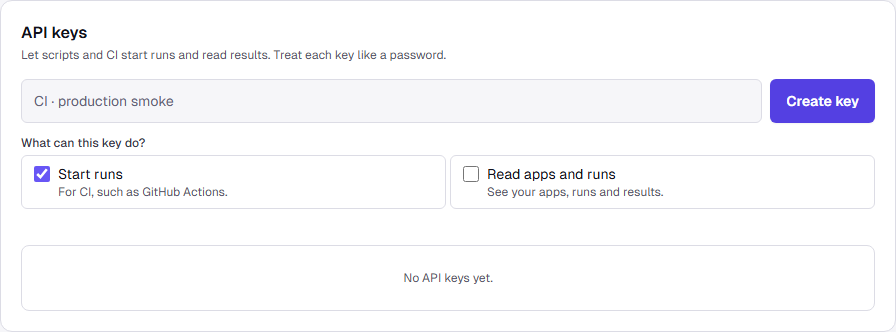
In Settings, under API keys, give the key a name. Under What can this key do?, choose Start runs, then select Create key.
OKShip shows the key once. Copy it now; you can't see it again.
3. Add the key to GitHub
In your GitHub repository's settings, add a repository secret named
OKSHIP_API_KEYand paste the key as its value.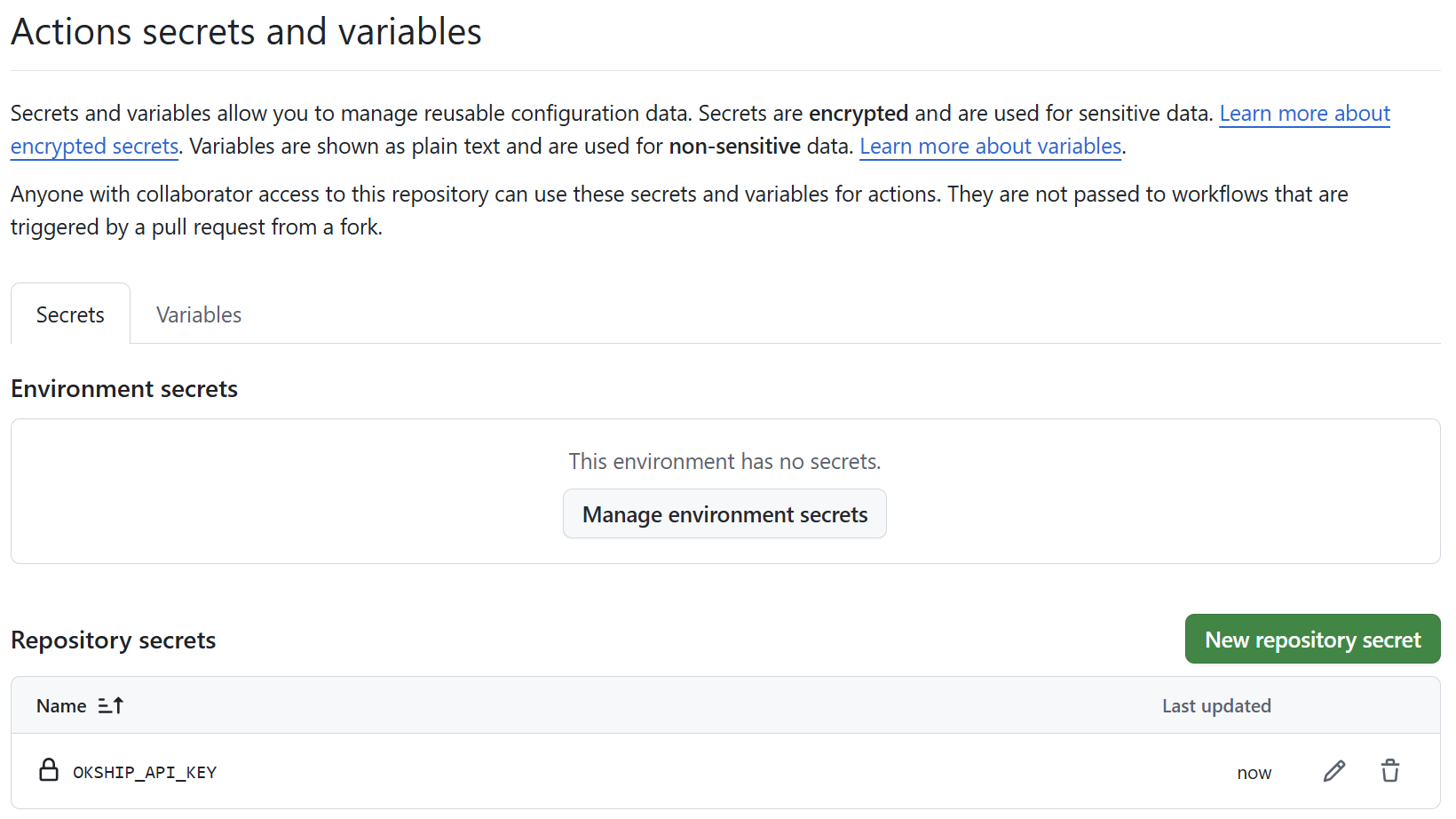
4. Find your app's ID
Open the app in OKShip. Its ID is the last part of the page address, after
/dashboard/apps/.5. Add the workflow
Create the file
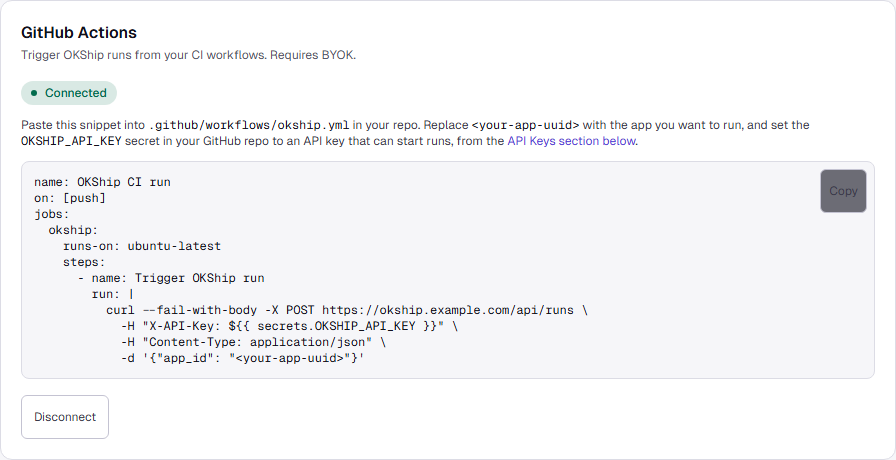
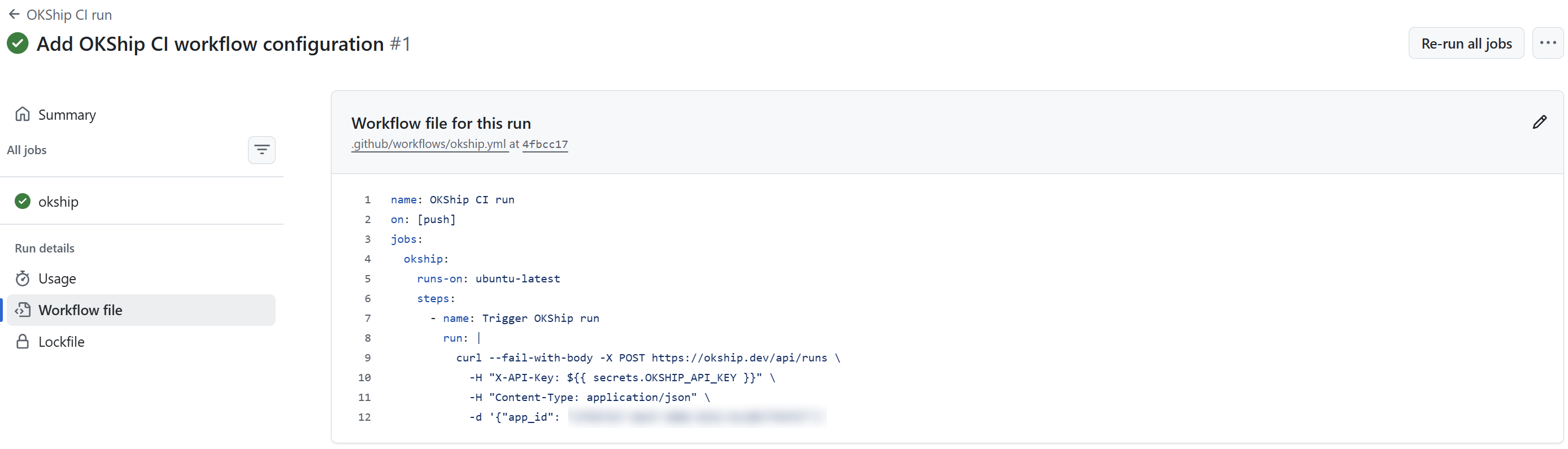
.github/workflows/okship.ymlin your repository and paste this in. Replace<your-app-uuid>with your app's ID.name: OKShip CI run on: [push] jobs: okship: runs-on: ubuntu-latest steps: - name: Trigger OKShip run run: | curl --fail-with-body -X POST https://okship.dev/api/runs \ -H "X-API-Key: ${{ secrets.OKSHIP_API_KEY }}" \ -H "Content-Type: application/json" \ -d '{"app_id": "<your-app-uuid>"}'Settings shows the same workflow, with a Copy button, once GitHub Actions is on.
After you push
Each push to the repository starts a run that checks every goal saved on the app.
The step finishes as soon as OKShip accepts the run. It doesn't wait for the verdict, so a green job means the run started, not that the goals passed. The job log shows OKShip's reply, including the run's ID.
The results arrive the way all your runs do: on the run's page in OKShip, and in Slack if you've connected it.
Runs started from GitHub count toward your plan like any other run.
When a run is refused
When OKShip refuses a run, it starts nothing and it isn't counted. The job fails, and the log shows a code and a message.
| Code | What the log says | What to do |
|---|---|---|
| byok_required | Runs started with an API key use your own Anthropic key. Add one in Settings, under Bring your own Anthropic key (BYOK), then connect GitHub Actions. | Save your Anthropic key, then turn on GitHub Actions. |
| byok_required | Runs started with an API key use your own Anthropic key, and yours isn't currently verified. Re-save it in Settings, under Bring your own Anthropic key (BYOK). | Save your Anthropic key again so OKShip can check it. |
| github_actions_not_connected | Runs started with an API key need GitHub Actions connected. An owner can activate it in Settings, under GitHub Actions. | Ask an owner to turn GitHub Actions back on. |
Other replies you might see:
invalid_api_key: The secret doesn't match a working key. Check the secret's value, or make a new key if the old one was revoked.insufficient_scope: The key can't start runs. Make a key with Start runs chosen.api_key_creator_not_member,insufficient_role: The key acts for the person who made it. If they've left the team or can no longer start runs, make a new key.- Your plan's limit is reached. The message says which limit.
Disconnect
To stop runs from GitHub, select Disconnect in the GitHub Actions section. OKShip asks first:
Disconnect GitHub Actions? Existing API keys remain valid but your workflow will start failing until you reactivate.
After that, every run your workflow tries is refused and the job fails, until an owner turns it back on. Your API keys aren't revoked.
If your Anthropic key is removed, OKShip turns GitHub Actions off for you. Save a key, then turn it back on.
Security
See it on your own site
Point OKShip at your site, write what a user should be able to do, and get a report and a link you can send.
Try it for free